







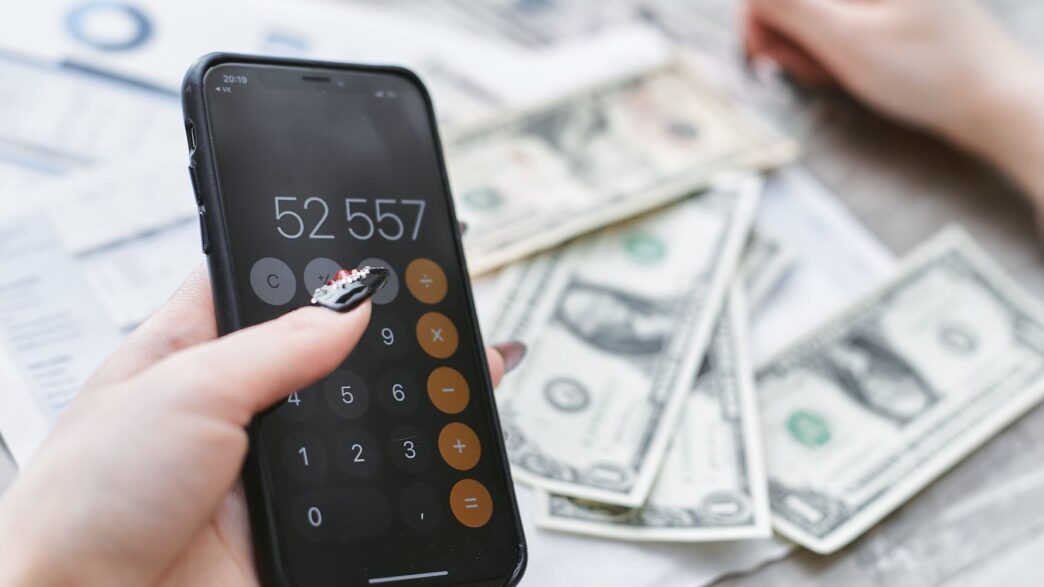
Here’s a little secret about budgeting apps: the “best” one isn’t the one with the flashiest features or the biggest ad budget. It’s the one you’ll still be opening six months from now. Plenty of us downloaded a shiny money app in a burst of New Year motivation, poked at it for a week, and never touched it again. If that sounds familiar, you’re in good company, and picking the right tool this time around can be the difference between another abandoned app and finally seeing where your money actually goes.
The landscape shifted in a big way when Mint, the free app that a whole generation learned to budget on, shut its doors at the start of 2024. Millions of people got booted out of their financial home and had to find somewhere new to live. The upside is that the scramble pushed the remaining apps to get sharper, and a couple of newcomers stepped up to fill the gap. So if you’ve been putting off finding a replacement, 2026 is a genuinely good year to shop around.
Let me walk you through the apps worth your time, what each one is really good at, and how to figure out which fits the way your brain works.
First, Know What Kind of Budgeter You Are
Before you download anything, it helps to be honest about your style, because the apps are built around very different philosophies. Some people want to assign every single dollar a job before they spend it. Others just want a heads-up when a subscription renews or when they’re about to overspend on takeout. There’s no wrong answer, but choosing an app that fights your natural tendencies is a fast track to that graveyard of unused apps on your phone.
If you like structure and want to feel in control of every dollar, a zero-based system will click for you. If you’re more of a “just tell me what’s safe to spend” person, you’ll want something lighter that runs mostly on autopilot. Keep that distinction in mind as we go.
YNAB: For People Who Want Every Dollar Working
You Need A Budget, universally shortened to YNAB, is the gold standard for hands-on budgeters. Its whole method is built on giving every dollar a job the moment it lands in your account, so nothing sits around vaguely “available” and quietly leaking out. Fans swear it changed their relationship with money, and there’s real substance behind the cult following.
The catch is the price. YNAB runs $14.99 a month or $109 a year, which is not nothing. There’s a generous 34-day free trial, and the company argues the app pays for itself in found money, which is often true for people who stick with it. But it does ask for effort. YNAB is a system you participate in, not one that runs quietly in the background. If you want to understand the underlying philosophy before you pay, the folks at NerdWallet have a solid rundown of how the zero-based approach compares to the alternatives.
Monarch Money: The Full-Picture Favorite
If Mint was your home and you miss seeing everything in one place, Monarch Money is probably the closest replacement. It syncs your bank accounts, credit cards, loans, and investments into a single clean dashboard, so you get the whole financial picture rather than just this month’s spending.
Monarch costs $14.99 a month or $99.99 a year for the Core plan, with a pricier Plus tier at $199 a year for people who want more advanced tools. One detail I really like: you can add a household member to your subscription at no extra cost, which makes it a strong pick for couples who want to budget together without paying twice. There’s a free trial and a money-back guarantee, so you can kick the tires before committing.
Rocket Money: The Subscription Hunter
Not everyone wants to build an elaborate budget. Some of us just want to stop bleeding money on subscriptions we forgot we signed up for, and that’s exactly what Rocket Money does best. It automatically spots your recurring charges, warns you about upcoming bills, and can even help you cancel the stuff you don’t use anymore.
The best part for penny-pinchers is that Rocket Money has a genuinely useful free tier that covers account syncing, subscription tracking, and basic spending categories. There’s a premium version with more bells and whistles, but you can get real value without paying a dime. If the main leak in your budget is a pile of forgotten $12.99 charges, this is where I’d start.
Quicken Simplifi and EveryDollar: Two Strong Value Picks
A couple of apps deserve a shout for punching above their price. Quicken Simplifi frequently lands at the top of “best Mint alternative” lists thanks to how easy it is to use and how well it detects income and bills. It often runs around $3.49 a month with a discount, making it one of the cheapest full-featured options out there, and it comes with a 30-day money-back guarantee.
Then there’s EveryDollar, from the Ramsey team, which is built around the same zero-based, give-every-dollar-a-job idea as YNAB. It has a free tier that’s surprisingly capable, letting you build unlimited monthly budgets, set up sinking funds, and split transactions without paying. It relaunched in January 2026 with new tools like a “margin finder,” personalized plans, and daily lessons, so it’s worth another look even if you tried an older version. Forbes Advisor keeps a running comparison of the top budgeting apps if you want to see current pricing side by side.
A Quick Word on the “Free” Ones
Free is tempting, but read the fine print. PocketGuard, for example, used to have a real free version but has trimmed it down to a seven-day trial, after which you’re looking at roughly $12.99 a month or about $75 a year. Its approach is nice and simple, showing you what’s left “in your pocket” after bills and savings goals, but it’s no longer the free option people remember. Copilot Money is another well-designed app that leans on AI to sort your spending automatically, though it’s built solely for Apple users. The lesson is just to check whether “free” means free forever or free for a week.
The App Is a Tool, Not a Miracle
Here’s the thing I always come back to: no app makes you money on its own. What it does is show you the truth, and the truth is usually that a few small leaks are costing more than any single big expense. Once an app helps you find that extra $150 or $200 a month you didn’t realize you were spending, the real win is doing something useful with it, like moving it into a high-yield savings account where it actually earns interest instead of sitting idle in checking.
So pick the app that matches how you think, give it an honest month, and let it hold up a mirror. Whether you go with a strict zero-based system or a light-touch subscription tracker, the best budgeting app in 2026 is simply the one that keeps you looking. For a deeper feature-by-feature breakdown before you commit, Ramsey’s app comparison is a helpful next stop.
Download one today, connect your accounts, and give yourself thirty days. Future you, the one with a padded savings account and zero mystery subscriptions, will be glad you did.