






There is a piece of plastic in most American wallets that is worth more, dollar for dollar, than any rewards credit card on the market. It earns no points and pays no cash back, but it can wipe four-figure subscription charges off your monthly statement, hand you free admission to museums, replace your audiobook bill, and even save you a trip to the notary at your bank. It is, of course, your local library card — and if you have not actually opened the app in a year or two, you are leaving real money on the table in 2026.
This is not the lecture about how reading is good for you. This is a practical breakdown of where the savings actually live, what they replace in your budget, and how to set the whole thing up in one Saturday afternoon. By the time you finish, you should have a clean picture of what your card is worth and which of your current subscriptions can be quietly canceled.
The Streaming Stack Most People Have Never Tried
Three free apps do most of the heavy lifting, and the average library cardholder qualifies for all three. Libby, run by OverDrive, handles ebooks and audiobooks borrowed from your local branch. Hoopla offers movies, TV episodes, music albums, comics, and audiobooks with no waitlist. Kanopy specializes in independent film, documentaries, and the kind of arthouse catalog you would pay for through the Criterion Channel. Together, they cover a surprising share of what people currently pay Netflix, Spotify, and Audible for each month.
The Penny Hoarder estimates that swapping Audible, Netflix, and Spotify for the library stack saves the typical household about $35 a month, or just over $400 a year, with no change in what they actually watch or listen to. Hoopla also rolls out something called BingePasses — week-long passes to bundles like Great Courses, PBS Kids, Hallmark+, and a puzzle pack — which alone replace several niche subscriptions families quietly keep paying for. Penny Hoarder breaks down how the apps differ in this guide to free library apps.
The catch worth knowing about: Libby uses a hold system, so a buzzy new audiobook may have a wait list. Hoopla has no waitlists but caps your monthly checkouts. The workaround is to use Libby for the books you are willing to wait on and Hoopla for the things you want tonight.
Free Museum, Zoo, and State Park Passes
This is the underused gem. A growing number of library systems — in New York, Boston, Chicago, Los Angeles, Seattle, the Bay Area, and dozens of mid-size cities — let you reserve free or discounted admission passes to local museums, zoos, botanical gardens, and even some state parks. These are usually called Culture Pass or Discover & Go programs. You log in to your library’s site, pick a venue, reserve a date, and either print or pull up the pass on your phone.
The savings here scale with your family size. A family of four at a typical big-city science museum or zoo can easily hand over $80 to $120 at the gate. According to a CashAdvice analysis, families that use library culture passes just twice a month can save more than $1,200 a year — and that is before you account for the cost of the gift shop visit you skipped because you had already been to that exhibit on the free pass last month.
If you live somewhere without a Culture Pass program, check whether your library participates in the Smithsonian Museum Day, the Bank of America Museums on Us program, or your state’s “library parks pass” — many states now let cardholders reserve a state-park day pass that would otherwise run $10 to $30 per visit.
LinkedIn Learning, Language Apps, and Other Subscriptions You Are Probably Paying For
Quietly tucked into most library websites is a small banner that says “Databases” or “Online Resources.” It is the most boring-looking menu in personal finance and one of the most lucrative. More than 2,700 U.S. library systems now offer free access to LinkedIn Learning, which on its own runs $29.99 a month or $239.88 a year for an individual subscription. That is the full course library — the same one that includes everything formerly branded as Lynda.com — accessible just by logging in with your library card number.
Many of those same systems also include free access to language learning apps like Mango Languages or Transparent Language, Consumer Reports’ digital product reviews, Morningstar Investment Research, Ancestry Library Edition, and tutoring platforms like Brainfuck or Tutor.com for school-age kids. Add those up and you are easily replacing $40 to $60 a month in subscriptions most families either pay for or wish they could afford.
Free Notary, Passport Help, and Tax Prep
The financial services part of the library is the one people forget exists. Most public libraries now offer free notary services, which costs $5 to $25 per signature at your bank or UPS Store and is the kind of fee that surprises you exactly when you can least afford a surprise — closing on a car, finalizing a power of attorney, signing for a deceased relative’s estate. Many large library systems also host U.S. Postal Service passport acceptance hours, where you can apply for or renew a passport without taking a half day off work to drive to a federal building.
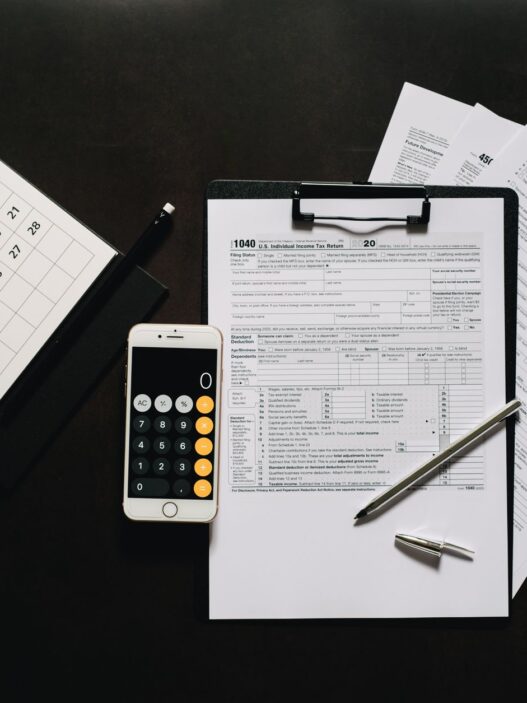
During tax season, hundreds of library branches host free VITA (Volunteer Income Tax Assistance) sites for households earning under roughly $64,000, certified through the IRS. The IRS keeps a running list of VITA partners on its site, and many of them are literally inside a public library on Saturday mornings from late January through April. That is a $300 to $500 tax-prep bill you simply do not have to pay.
Tools, Toys, and Things You Can Borrow Instead of Buying
The third tier of library savings is the one most cardholders never check on: the “library of things” collection. Depending on your branch, this can include cordless drills, telescopes, sewing machines, GoPros, ukuleles, board games, baking pans, snowshoes, energy meters that measure how much electricity your appliances actually use, and increasingly, hotspots for households between internet plans.
If you have ever bought a specialty kitchen tool for a single recipe or a tool for a single home project, you already know how fast that adds up. Borrowing a $200 pressure washer twice and a $150 cake-decorating kit once is real money kept inside your checking account, where the FDIC’s deposit insurance rules protect your first $250,000 anyway.
How to Set It Up This Weekend
If you have moved in the last few years and your old card has lapsed, the renewal process at most U.S. systems takes about ten minutes online with a utility bill and a photo ID. Once you have your card number, download Libby, Hoopla, and Kanopy from your phone’s app store and enter the same card number into each. Then visit your library’s website on a laptop and click through “online resources” or “research” to see what is available — that menu is often hidden from the mobile app entirely, which is part of why so few people know about LinkedIn Learning access.
If you want a clean estimate of what your card is worth to you personally, the American Library Association has a Library Value Calculator that runs through every category — books borrowed, movies streamed, museum passes used, meeting-room time, computer access — and spits out an annual dollar figure. Most families who run the numbers honestly land somewhere between $700 and $1,500 a year in replaced spending. NerdWallet’s broader guide on hidden money-saving services is also worth a skim if you want a second opinion before canceling anything.
What to Cancel First
If you want a quick win this month, look at three lines on your statement: your audiobook subscription, your premium streaming add-ons, and any kids’ learning app you do not use every week. Replace each with the library equivalent for thirty days. If you do not miss the paid version, cancel it for good and move that recurring charge into a savings account at the bank where your checking account lives. A $35-a-month redirect, parked in a high-yield savings account at 4% APY, quietly grows to roughly $440 of savings plus interest a year later — funded entirely by a free piece of plastic you already had in your wallet.