








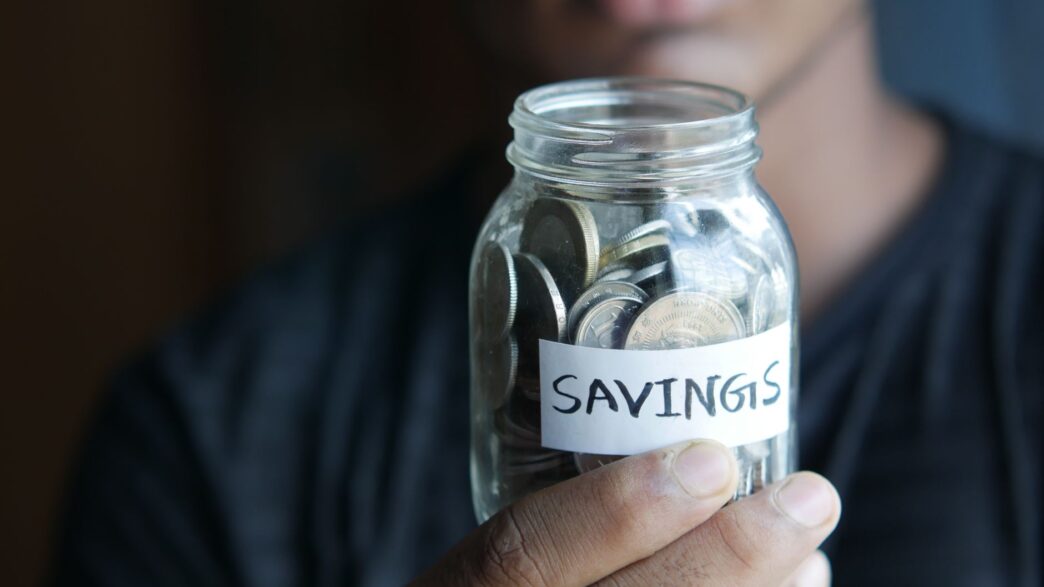
Round-up savings is one of the few money habits that works on people who hate budgeting. You buy a $2.50 coffee, the app treats it like $3.00, and the extra 50 cents slides into an account you mostly forget about. No spreadsheet, no willpower. That’s the appeal, and it’s a real one.
The catch is what you pay for the privilege. Acorns, the best-known round-up app, now lists its plans at $4 a month for Bronze, $8 for Silver, and $12 for Gold on its pricing page. A couple of years ago those first two tiers were $3 and $6. A dollar or two sounds like nothing. On a pile of spare change, it can be a lot.
The math on spare change
Spare change is small by design, so let’s run a rough example. Say you make 40 card purchases a month and the average round-up is 50 cents. That’s $20 a month, or $240 a year, flowing into the account.
At $4 a month, Bronze costs $48 a year. That’s 20% of everything your round-ups put in. Picture a savings account that took one of every five dollars you deposited. Nobody would open it.
Your numbers will be different. Some people swipe a card 80 times a month, some 15. Plenty of Acorns users also set up recurring deposits on top of round-ups, which changes the picture fast. But if round-ups are the only money going in, run your own version of that math before the next billing cycle. Your monthly card transactions are right there in your checking app.
Where Acorns does earn its fee
I don’t want to pretend the subscription is a scam, because it isn’t. The fee is flat, which hurts small accounts and gets cheap as you grow. On a $10,000 balance, $48 a year works out to under half a percent. That’s in the range of what plenty of advisors and robo-advisors charge.
You also get more than round-ups. Every plan includes an investment portfolio, an Acorns Later retirement account, and Acorns Checking, which the company says has no overdraft fees and access to 55,000+ fee-free ATMs in the Allpoint network. Silver adds a 1% IRA match on new contributions in your first year and an Emergency Savings account listed at 3.59% APY. Gold bumps the IRA match to 3% and throws in a kids’ investing account, a $10,000 life insurance policy for eligible customers, and a no-cost will.
And one more detail matters if you link a card from your regular bank. Acorns says on its own plan comparison article that round-ups from an external account get invested once your pending round-ups reach $5. So the money sits in limbo for a bit. Not a dealbreaker, just worth knowing.
If you’d use the IRA match or the investing side, the fee can pay for itself. If you only wanted the “save my spare change” trick, you’re probably paying for a lot of features you’ll never open.
Your bank may already do this for free
A lot of checking accounts have a round-up feature built in, and the ones I looked at don’t list a fee for it.
Bank of America’s Keep the Change program rounds up every purchase on your enrolled debit card to the nearest dollar and moves the difference from checking to savings. The bank says it transfers the accumulated change daily. You need a Bank of America checking account with a debit card and a savings account to use it. The program page doesn’t show a fee, though it does ask for your ZIP code before showing rate and fee details, so check your own account terms.
Chime has its own version. Its automatic savings page says purchases and bill payments made with the Chime debit card get rounded up to the nearest dollar, with the difference moved into your savings account. Chime also lets you send a percentage of each direct deposit straight to savings. Keep in mind that Chime is a financial technology company, not a bank; the accounts are held at The Bancorp Bank or Stride Bank, both FDIC members.
Before you download anything, log into your current bank’s app and look for words like “round up,” “spare change,” or “save as you spend” in the savings or automatic transfer settings. Plenty of banks and credit unions bury this feature two menus deep.
The no-app version
You can skip round-ups altogether and get the same effect with a boring recurring transfer. Set your bank to move $5 a week from checking to savings, or $10 on every payday. Five dollars a week is $260 a year, which beats our 40-swipes example, and it costs nothing.
Round-ups feel good because the amounts are tiny and random. A flat weekly transfer is less fun, but it’s predictable, and predictable is easier to budget around. If you’re the type who forgets you have money in savings, that’s a feature. You’ll likely keep it there longer.
One tweak I like is doing both: a small fixed transfer plus your bank’s free round-up. The fixed amount builds the base, and the round-ups add a bit of momentum you’ll notice when you check the balance in March.
Where the money should land
Whichever way you go, the account that receives the money matters more than the app that moves it. Spare change in a savings account paying close to zero isn’t doing much. Most online banks pay far more than the big national branches, and moving your round-up destination to a better-paying savings account is usually a five-minute job.
If you’re saving for something specific in the next year (holiday gifts, a car repair fund, next summer’s trip), keep it in an FDIC-insured savings account rather than an investment portfolio. Stocks can drop right when you need the cash. Acorns itself notes that investing carries risk, including loss of principal, and that it isn’t a bank.
If the money is truly long-term and you want it invested, that’s where Acorns or a similar app can make sense. Just know what you’re paying.
How to decide this week
Pull up your last full month of card transactions and count them. Multiply by about 50 cents to estimate your monthly round-ups. If your Acorns fee is more than 10% of that number and you aren’t using the retirement match or the investing features, look hard at your bank’s free round-up or a simple recurring transfer.
If you do keep Acorns, consider adding a recurring deposit so the flat fee is spread over a bigger balance. And if you cancel, move the money somewhere it earns interest instead of letting it sit.
Spare change adds up either way. Better that it adds up for you.